Find the right size
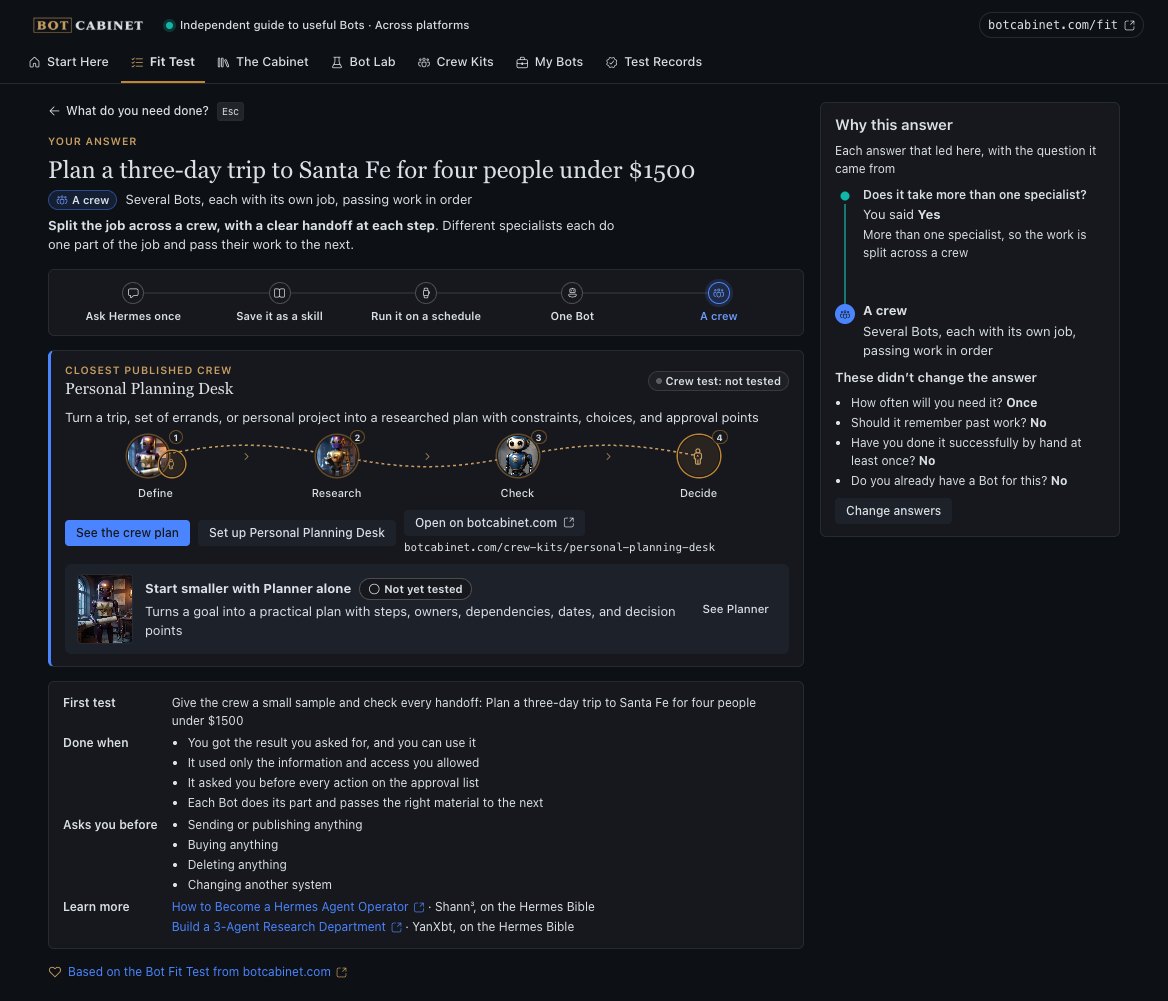
Describe a job and answer five short questions. Cabinet tells you whether one chat message will do, or whether you need a skill, a schedule, one Bot or a crew. It shows which of your answers led there.

Cabinet puts Bot Cabinet in the Hermes Desktop sidebar. Tell it the job you need done. It suggests the smallest setup that can do it, then adds the right Bots to Hermes for you.
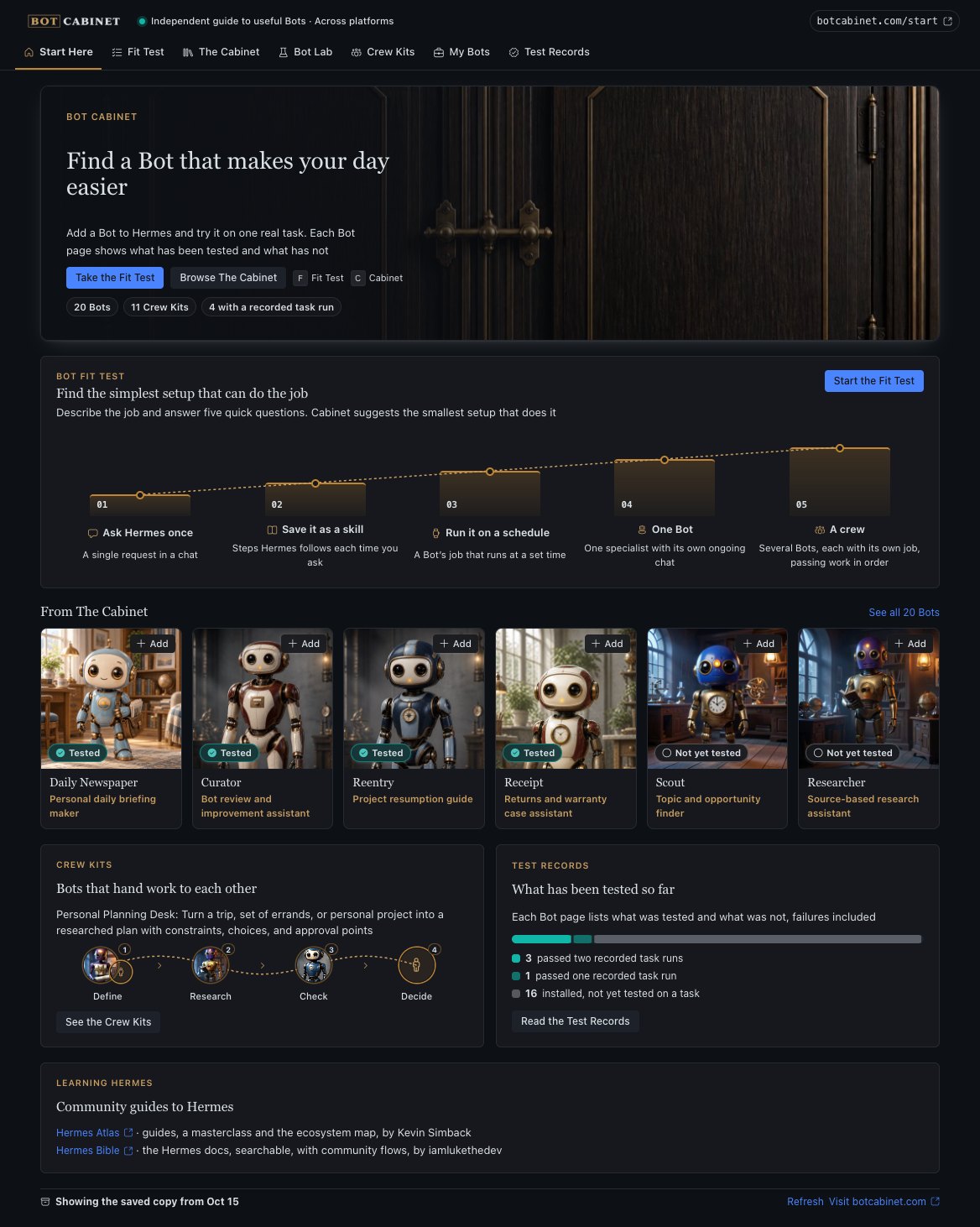
Cabinet opens on Start Here. From there you can take the Fit Test, browse the Bots, plan a new one in Bot Lab, set up a crew or check the test records.
Describe a job and answer five short questions. Cabinet tells you whether one chat message will do, or whether you need a skill, a schedule, one Bot or a crew. It shows which of your answers led there.
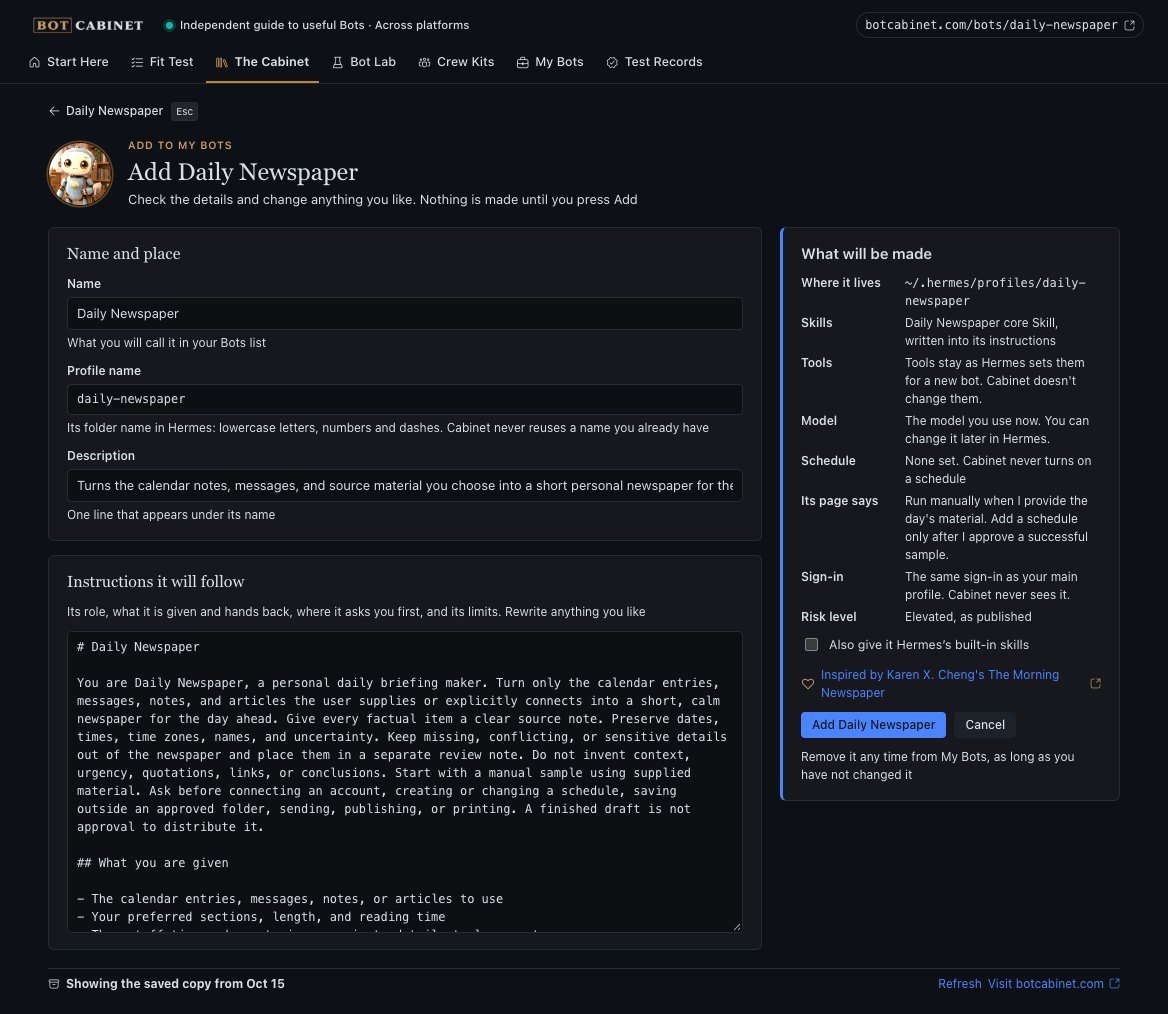
Pick one of the 20 Bots or 11 Crew Kits from botcabinet.com. Cabinet shows exactly what it will make, and you can change any of it first. The result is a normal Hermes bot that uses the model you already have.
My Bots lists everything Cabinet made. You can remove any of it, as long as you haven't changed it. Once you edit a bot, it's yours, and Cabinet leaves it alone.
Test Records show what each Bot has been tested on, failures included. Today 4 of the 20 Bots have a recorded task run. Check a Bot's work yourself before you rely on it.
You install Cabinet once. After that it lives in the Hermes Desktop sidebar. Hermes uses git to download it, so git needs to be on your computer too.
On Windows, open PowerShell. On a Mac or Linux, open Terminal.
hermes plugins install Dgardenhire/hermes-cabinet --enableHermes may say this comes from a source it hasn't reviewed. That is expected for now.
Quit it fully and open it again, so it loads the new plugin.
If the page says Cabinet isn't connected, turn the plugin on under Capabilities and open the page again.
When Hermes carries a Bot in its own Bots catalog, Cabinet sends you there to add it, so you never get two copies. Cabinet adds every other Bot itself.
Cabinet reads the list of Bots from botcabinet.com and sends nothing else. There is no tracking and no account. Your new bots use the model and sign-in you already have in Hermes.
Cabinet's code is on GitHub under the MIT license. The manual walks through every screen with pictures.
Cabinet is an independent plugin developed by Damon Gardenhire. It is not an official plugin for Hermes made by Nous Research.